
ISUZU chassis concrete pump truck switching from driving to pumping mode
“One Look”
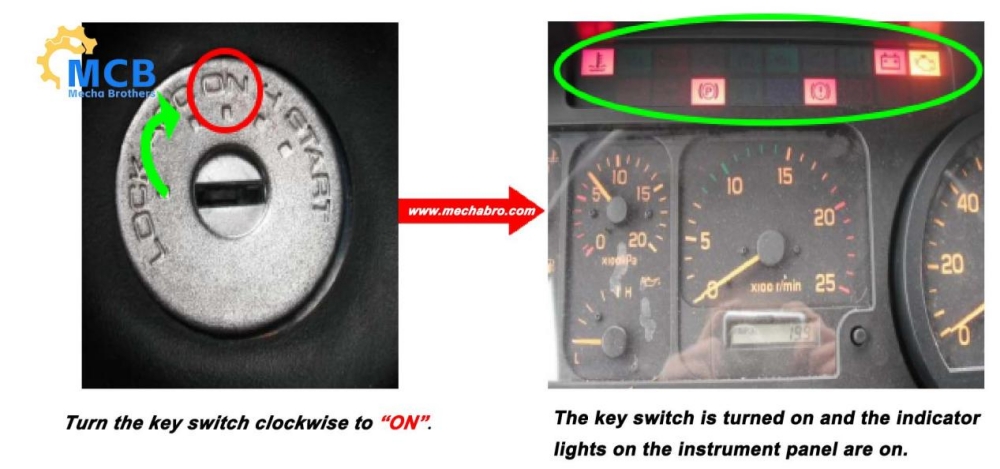
1. Check if the key switch is in the “ON” position, otherwise there is no power input to the rocker switch.
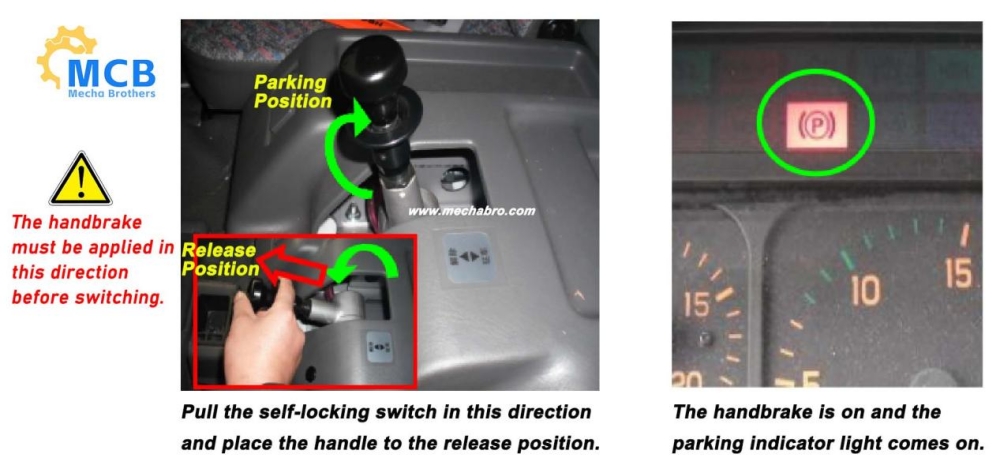
2. Check whether the handbrake is on, otherwise the engine will not speed up.
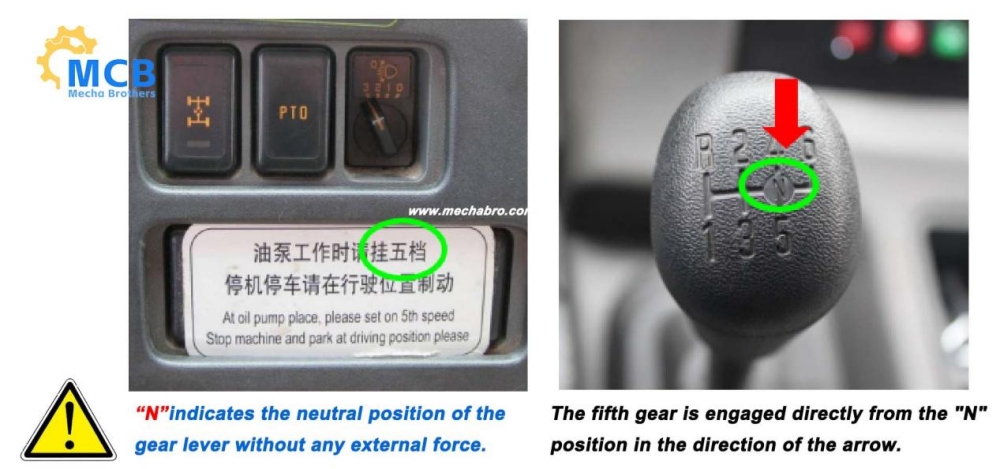
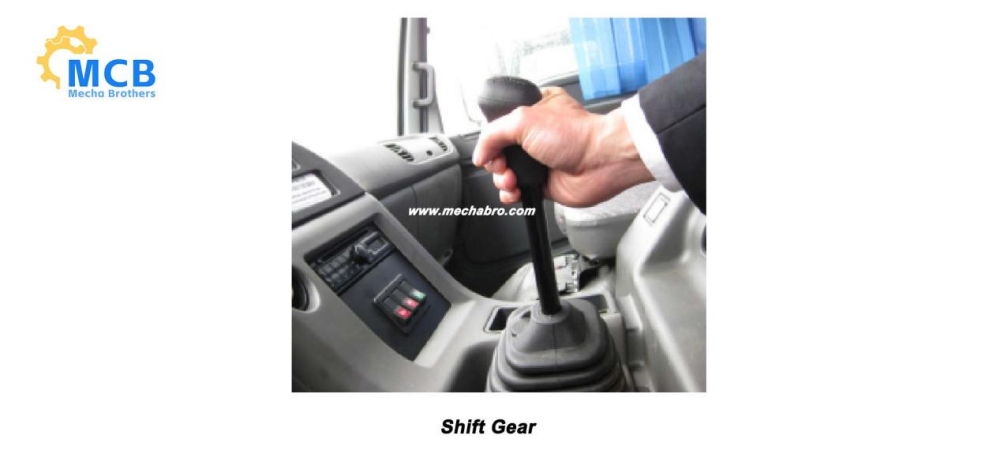
3. Check whether the gear lever is in the neutral position. (See the lower left picture)
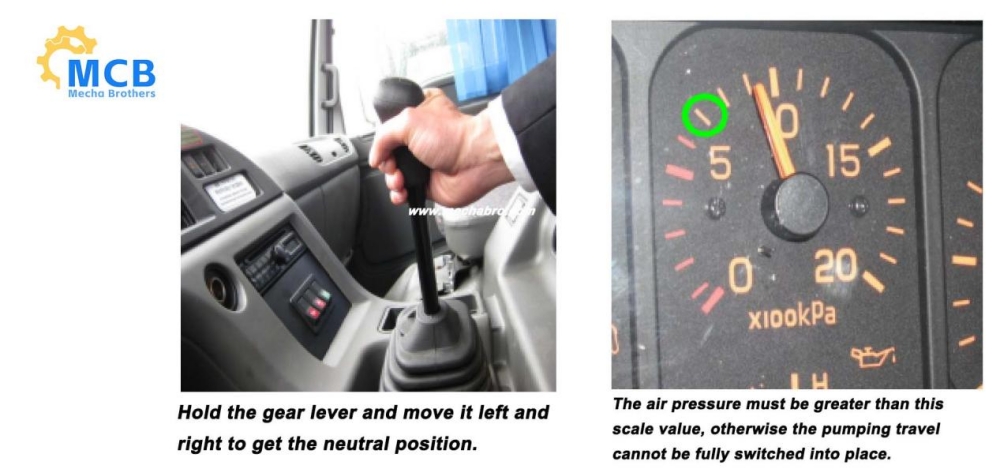
4. Check whether the pressure gauge reaches 700Kpa or above. If not, you must start the engine first and then shut it down after the pressure reaches the standard. (See the upper right picture)
“Two Presses”
Press the chassis PTO button to switch to the rear throttle state.
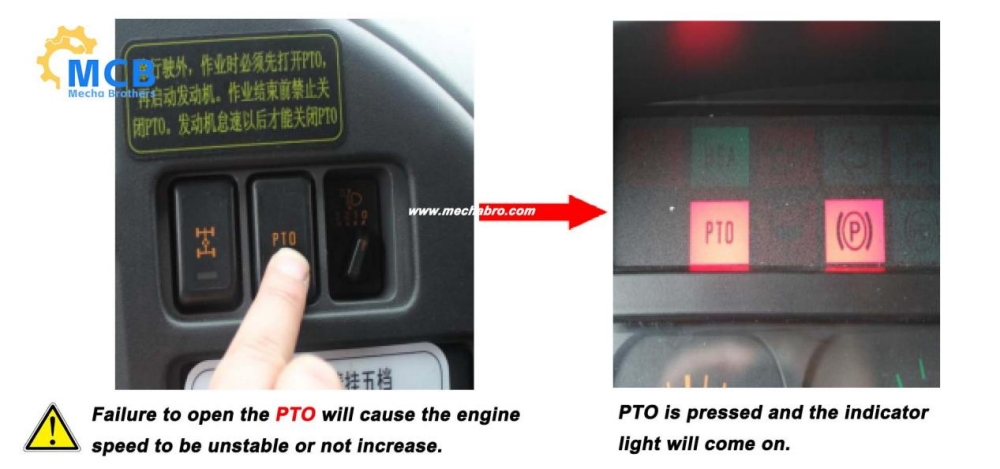
“Three Switches”
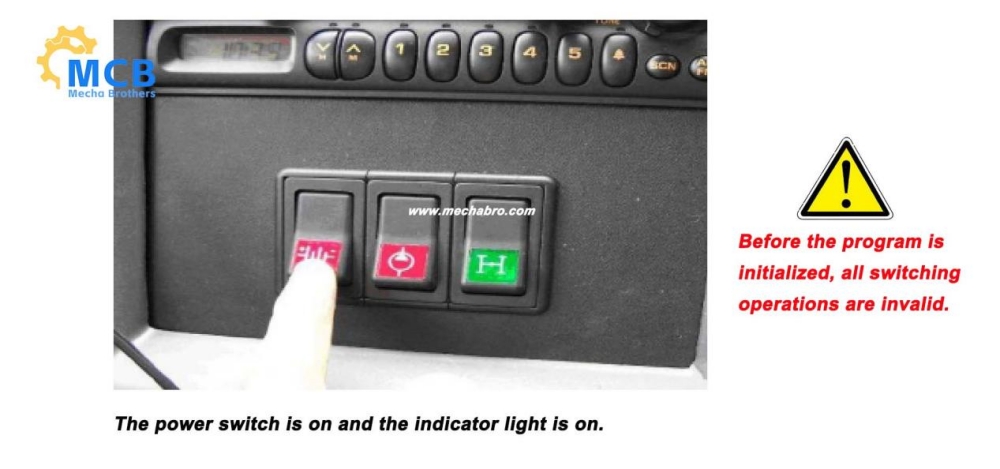
1. Press the power button and wait for about 10 seconds to complete the controller program initialization.
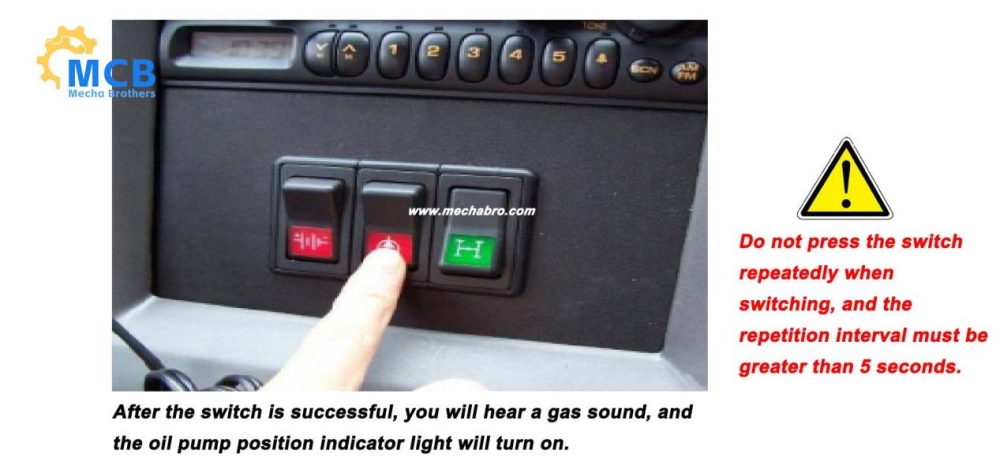
2. Press the oil pump position switch to switch to the pumping position.
“Four Hangs”
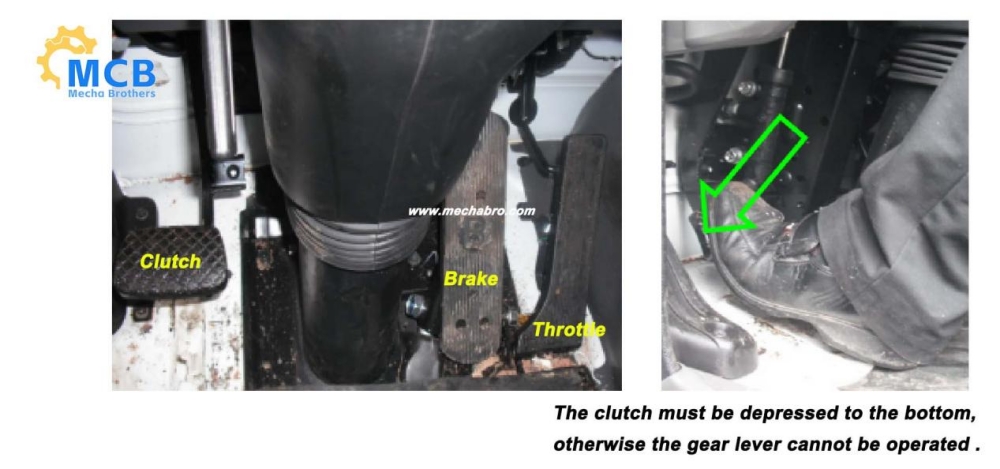
Depress the clutch to the bottom, engage the pumping gear (the second to last gear of the highest gear), and do not release the clutch (taking the pumping gear as the fifth gear as an example).
“Five Starts”
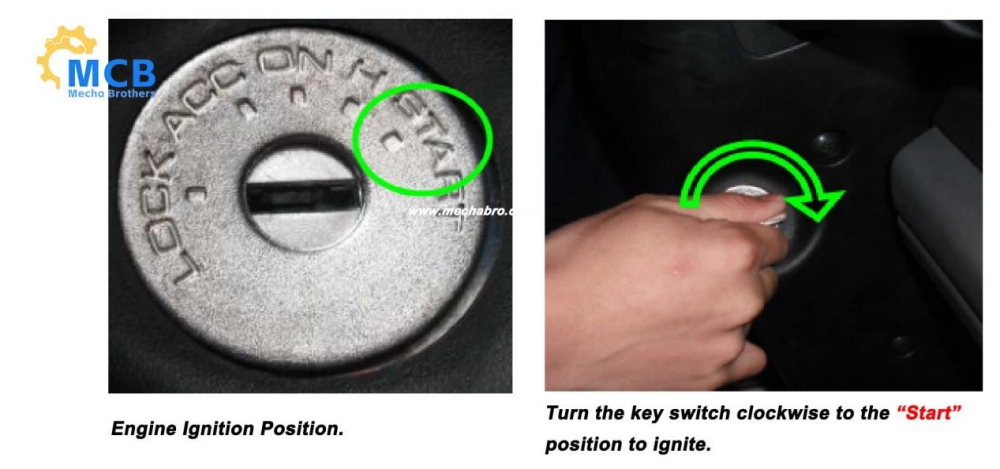
1. Turn the key switch to the ignition position for about 2-3 seconds to start the chassis engine. After the engine starts, the ignition operation should be stopped immediately, and the repeated starting time must be greater than 1 minute, otherwise it is easy to cause damage to the starter motor and starting circuit.
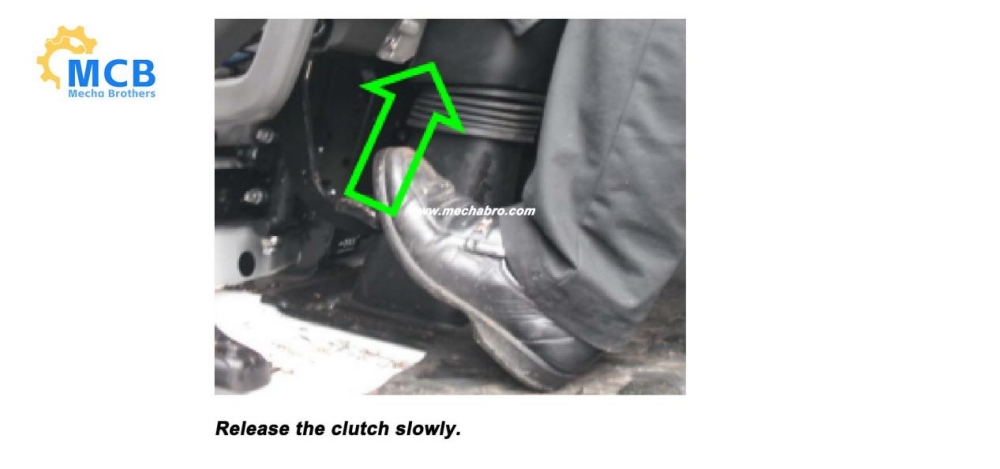
3. Slowly release the clutch to complete the pumping position shift.
“Six Checks”
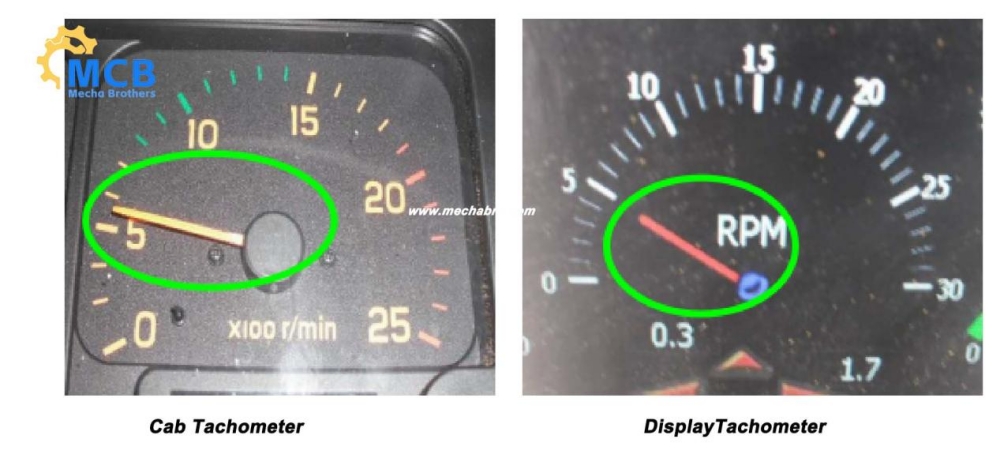
After switching the pumping position, check whether the speed on the display screen of the electric control cabinet is consistent with the tachometer in the cab. If they are consistent, the switch is successful, otherwise the gear should be re-engaged.